Validation loops: how to make agent-written code verifiable
A validation loop is an automated check, like tests, a linter, or a build, that an agent runs after changing code. The agent uses the result to fix its own mistakes before you review anything. It is the most reliable way to keep agent output high quality and low risk.
Without a loop, you become the loop. You find the errors, hand them back, and wait. In this article, I explain why agents need validation loops, which checks to use, and how to enforce them so they actually run.
Why do agents need validation loops?
An agent can produce code that looks right and is wrong. It cannot reliably tell the difference by rereading its own work, because the same assumptions that created the mistake also judge it. An outside signal breaks that cycle. A failing test or a compiler error is a fact, not an opinion.
I learned this the hard way with a simple request. I asked an agent to fix the position of a watermark in RocketSim. It was right on one newer iPhone model and wrong on the iPhone SE. The agent did not fix the iPhone SE. It broke the iPhone that was right, and it placed the watermark outside the notch. A plan review would have caught it, and a check on the result would have too.
Which checks make a good validation loop?
Use the cheapest check that can catch the mistake, and layer them from fast to slow:
- Formatting and linting.
Takes seconds and catches style problems and many simple bugs. - Type checking or compiling.
Catches whole classes of errors before anything runs. - Unit tests.
Confirm the changed behavior and guard against regressions. - Integration or end-to-end tests.
Slower, so use them for risky changes. - A second review of the diff.
For things tests cannot express, like whether the change matches the plan.
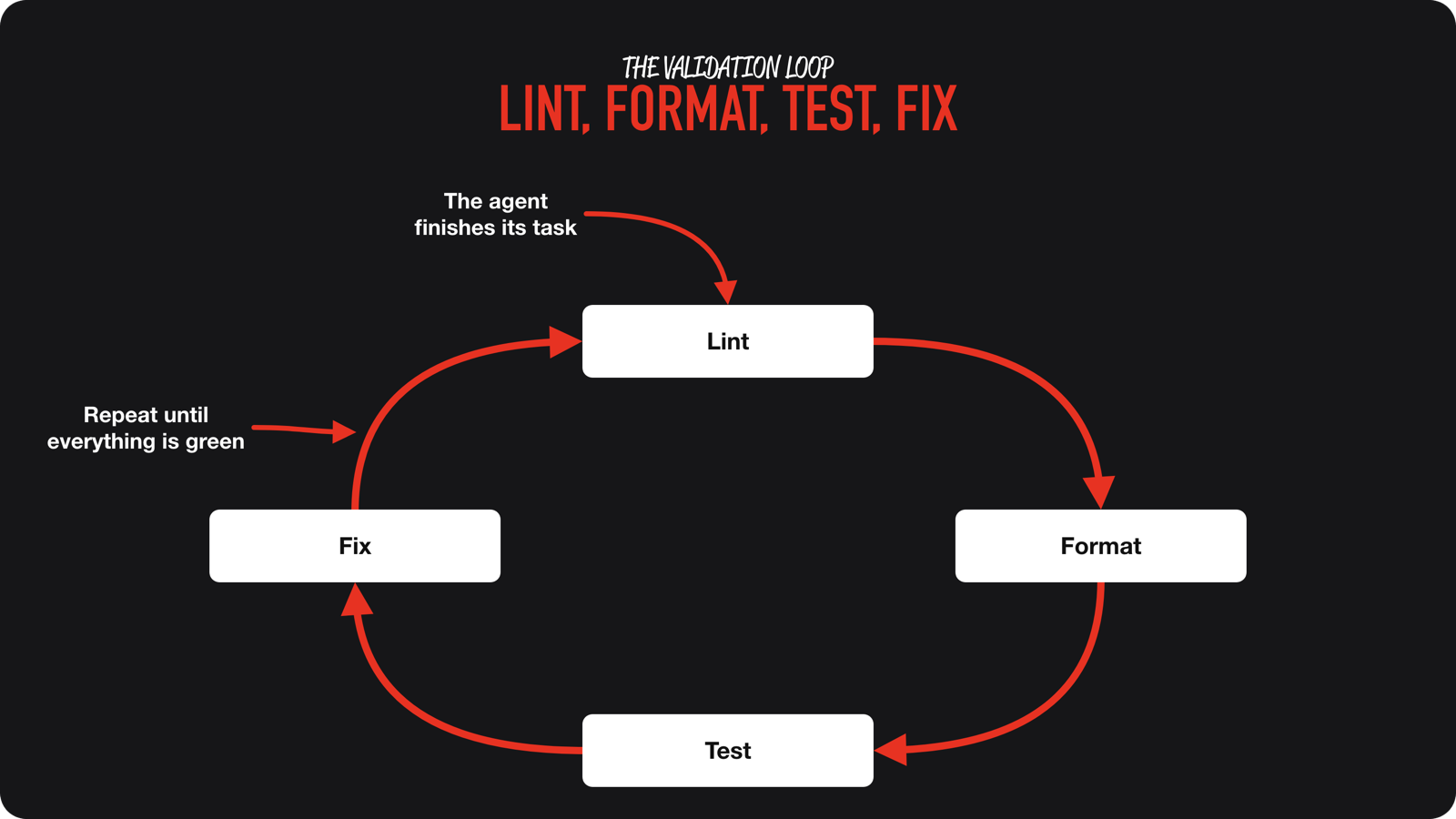
I run lint, format, test, and fix as a fixed loop after every change. It catches things the agent did not mention, like warnings in the project, and tests the agent never ran.
How do you wire it in?
- Tell the agent the exact commands.
Put them in yourAGENTS.md, and say a task is only done when they pass. See how to write an AGENTS.md. - Make failures short and readable.
Specific error output is easier to act on than a wall of logs, and it keeps the context small. - Require tests for new behavior.
The loop gets stronger as your code grows. - Keep it fast.
If checks take ten minutes, you or the agent will skip them. - Give the agent eyes on the result.
Let it run what it builds and read the output.
That last point works well for products too. RocketSim’s CLI was built by an agent that called its own work. It created a new command, ran it, looked at the structured output, improved the command, and ran it again. If you build for iOS, I wrote about letting agents run your app in the simulator.
How do you stop a loop from running forever?
Agree on limits up front. An agent can keep iterating for a very long time, filling its context and then hallucinating. I put the limit in the prompt: keep going until it is good, but spend at most an hour, or at most ten attempts. The agent respects that. It is not enforced by code, but it works well in my experience.
How do you enforce the checks?
Written instructions are suggestions. For checks that must always run, add enforcement outside the model:
- A hook that runs tests or the linter after the agent edits files or before it finishes.
- A pre-commit or CI check that blocks changes when validation fails.
- A reviewer that checks results against the plan, as I describe in subagent orchestration.
What are the limits of a validation loop?
Checks only catch what they test. A green build does not prove the design is right, the change is secure, or the tests are good. That is why the loop shortens review instead of replacing it. In how to review agent-written code, I explain what to look at once the checks pass.
Conclusion
A validation loop turns your agent’s work into something you can verify. Start with fast checks, tell the agent which commands prove a task is done, set limits for the loop, and enforce the checks that matter outside the model.
If you want to build this into your daily workflow, join the waitlist for the AI Fundamentals course. To see where else your setup can improve, try the free token cleanup prompt. Feel free to contact me or tweet me on Twitter if you have any additional tips or feedback.
Thanks!