How to write an AGENTS.md that coding agents actually follow
An AGENTS.md is a Markdown file in your repository that gives coding agents instructions for your project. A good one is short, specific, and backed by checks. The AGENTS.md format is read by many agents, and Claude Code reads a file called CLAUDE.md for the same purpose.
Most agents load this file at the start of every session. That is useful, but it also means every line you add is paid for in every session. In this article, I show what belongs in the file, what to leave out, and why agents still ignore rules you wrote down.
What should go in an AGENTS.md?
Include things the agent cannot work out by reading your code:
- How to build, test, and lint.
Give the agent exact commands. - Conventions that are not obvious.
Like naming rules or architecture boundaries. - Decisions that are specific to your project.
Like which APIs are off limits in new code. - How to verify work.
So the agent knows which check proves a change is done.
The third point is easy to overlook. In my own projects, one of my first rules was not to use Combine in new code, and to prefer Swift Concurrency over the old Dispatch Queue APIs. I do have agent skills for SwiftUI and Swift Concurrency, but a skill is generic expertise. It does not know what is allowed in my project. That is a project decision, so it belongs in AGENTS.md.
What should you leave out?
Leave out anything that is long, rarely relevant, or already discoverable:
- Release notes, CI details, and deployment steps that only matter for some tasks.
- Descriptions of code the agent can read itself.
- Vague advice like “write clean code” that changes nothing.
- Copies of documentation. Link to it instead, or load it only when a task needs it.
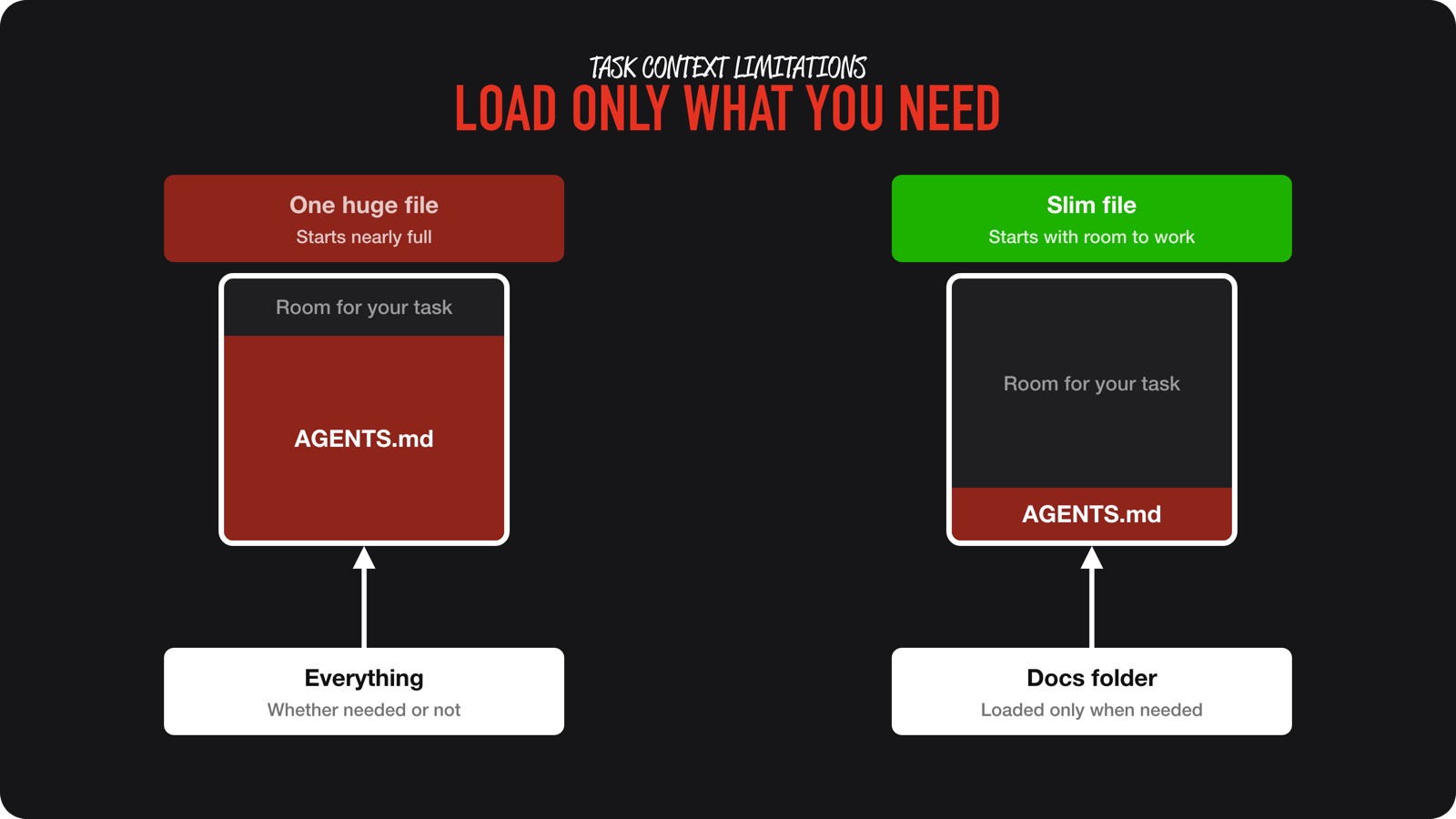
The reason is cost and accuracy. A long instruction file is re-sent with every call, and a crowded context makes it harder for the agent to find the rules that matter. A task that has nothing to do with releases should not carry release notes.
Why does an AGENTS.md get bloated?
Because nobody maintains it for you. Mine got bloated more than once, even when I was already experienced. I often told my agent to “save what you learned in your agents file”. It did, but not with the idea of keeping it compact. After a while, I had a very large file full of notes.
The fix is simple. Start a fresh session and ask the agent to optimize the file and move sections into reference files that are only loaded when needed. Keep the core file short and let the reference files carry the detail.
Why do agents ignore my instructions?
Instructions in an AGENTS.md are suggestions. The agent weighs them against everything else in its context, and in a long session a single line has less influence.
It gets worse when the context is summarized. Imagine you tell an agent in the first session that a page must support both light and dark mode. The context fills up and gets summarized. If the summary drops that requirement, the next session builds a light-only page, and it will feel as if you already said it. Constraints that only live in a chat can disappear. Constraints that live in AGENTS.md, documentation, skills, or linters survive.
If a rule must always hold, do not rely on a sentence alone. Enforce it:
- Run the check automatically with a hook or a pre-commit step.
- Make the test or linter fail loudly when the rule is broken.
- Give the agent the command that proves the rule holds, and require it to run it.
I explain how to set that up in validation loops for agent-written code.
A minimal example
# Project instructions

## Commands
- Build: `npm run build`
- Test: `npm test` (run before finishing any task)
- Lint: `npm run lint`

## Conventions
- API handlers live in `src/api/`. Do not call the database from components.
- Do not edit files in `generated/`.

## Done means
- Tests and lint pass.
- New behavior has a test.
It is short enough to be read every time, specific enough to change what the agent does, and tied to commands that prove the result.
Conclusion
A good AGENTS.md holds what the agent cannot discover itself, stays short, and is backed by checks for the rules that matter. Review it like code, because it grows quietly.
If you want a quick audit, the free token cleanup prompt checks whether you load unnecessary resources into context for every new task. For the full approach to instructions, validation, and context, join the waitlist for the AI Fundamentals course. Feel free to contact me or tweet me on Twitter if you have any additional tips or feedback.
Thanks!